
Courier and parcel companies
Your hub and your last mile, under control.
Parcel Hub scans parcels in, allocates them to vans by zone and capacity, puts the stops in route order and shows every driver live, with proof of delivery on the phone.
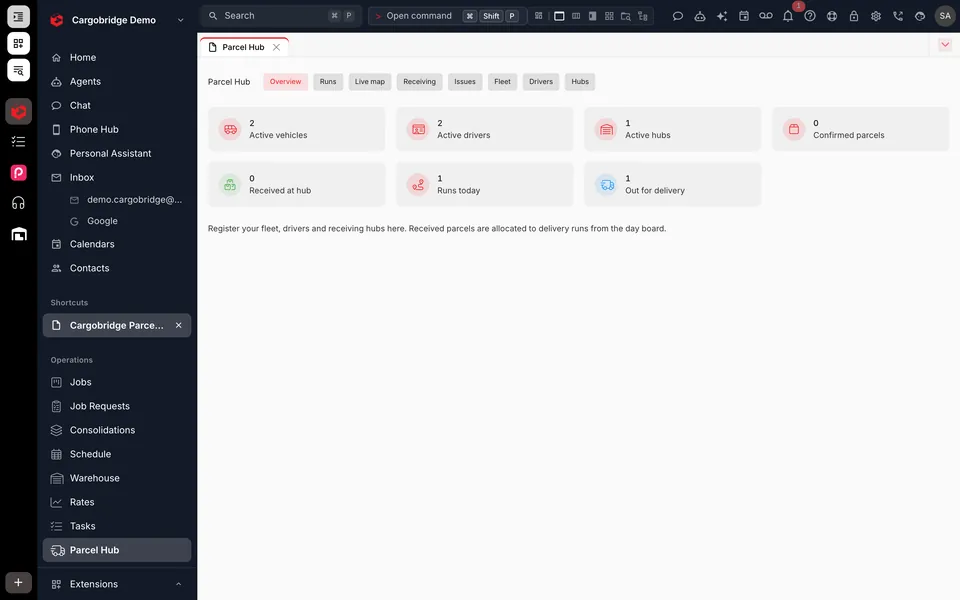
How a day runs
From sortation to signature.
- 01
Scan in
Parcels are scanned at the hub and marked good or damaged. Only received parcels can go out.
- 02
Allocate
Auto-allocate the pool to vans by zone, then capacity, then driver hours, and adjust by drag and drop.
- 03
Load and depart
Drivers load-scan their van and set off with stops already in route order.
- 04
Deliver
The driver captures a signature, photos, the recipient's name and the location at the door.
- 05
Handle exceptions
Failed deliveries come back with a reason and a redelivery date, ready for tomorrow.
Driver app
Proof of delivery that stands up.
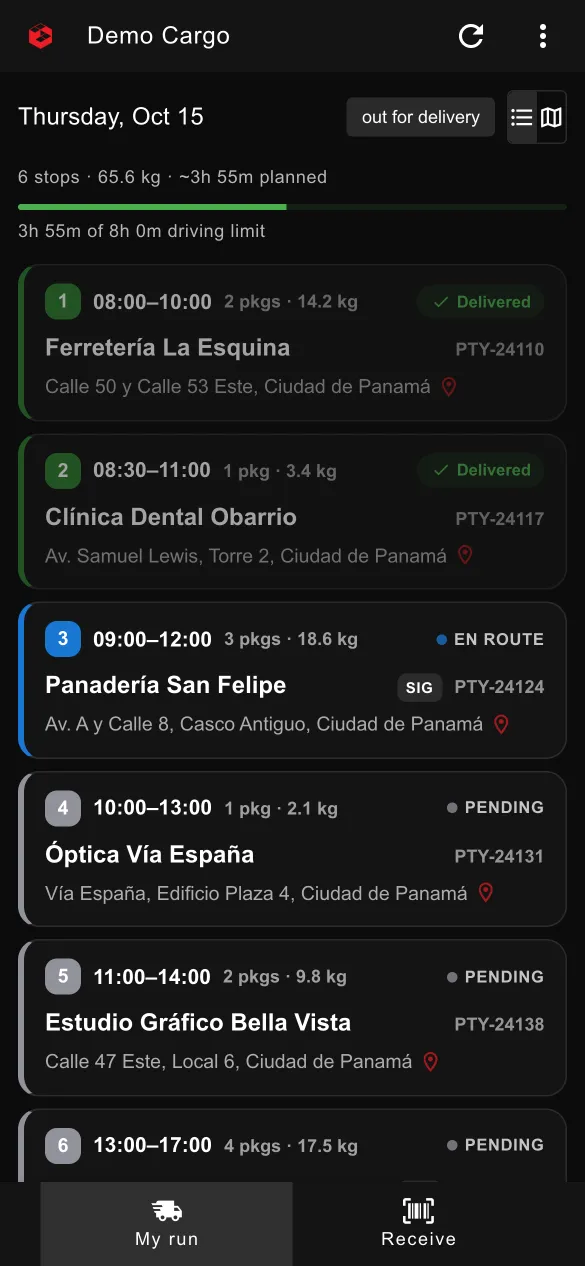
The driver app records what happened at every stop, even without signal, and sends it when the phone reconnects.
- Signature, up to 6 photos, recipient name and location
- Failed-delivery reason codes with a redelivery date
- Multi-parcel hand-over confirmation
- Offline proof of delivery with a send queue
- Multi-stop navigation and an hours-of-service strip
Hub control
Everything the hub manager needs.
Vans and capacity
Set each van's capacity in kilos and parcels, and draw its delivery zone on the map.
Drivers and hours
Start and end points and driving-hours limits per driver, respected by auto-allocation.
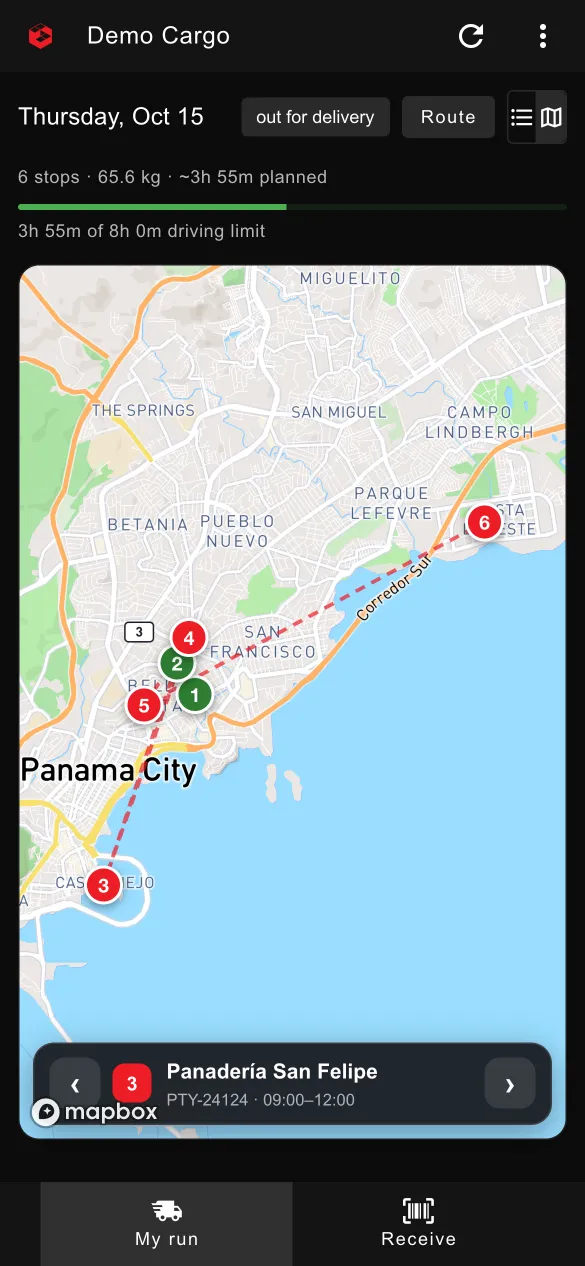
Live driver map
See every van and its GPS trail through the day.
Day board
Drag and drop parcels between runs when plans change.
Collections and returns
Add collections to runs, abort a run, or bring a van back to depot after a breakdown.
Issues queue
Back to pool, wait for the customer, return to sender or write off, all recorded.
Questions, answered
Which phones does the driver app run on?
The Parcel Hub app runs on iPhone and is available to Cargobridge customers in early access. Drivers and hub staff use the same app, with the role set by the pairing code.
Does it plan routes?
Auto-allocation puts each van's stops in route order, and the driver app hands multiple stops to the phone's navigation.
Can customers see their parcels?
Yes. Delivered and other chosen events email the customer automatically, and customers with portal access can follow their shipments.
Can I run line-haul and last mile together?
Yes. Forwarding jobs and consolidations live in the same system as Parcel Hub, so a shipment can move from the trunk leg to the final drop.
Move your next shipment with Cargobridge.
Cargobridge opens by invitation. Request early access and tell us about your operation.